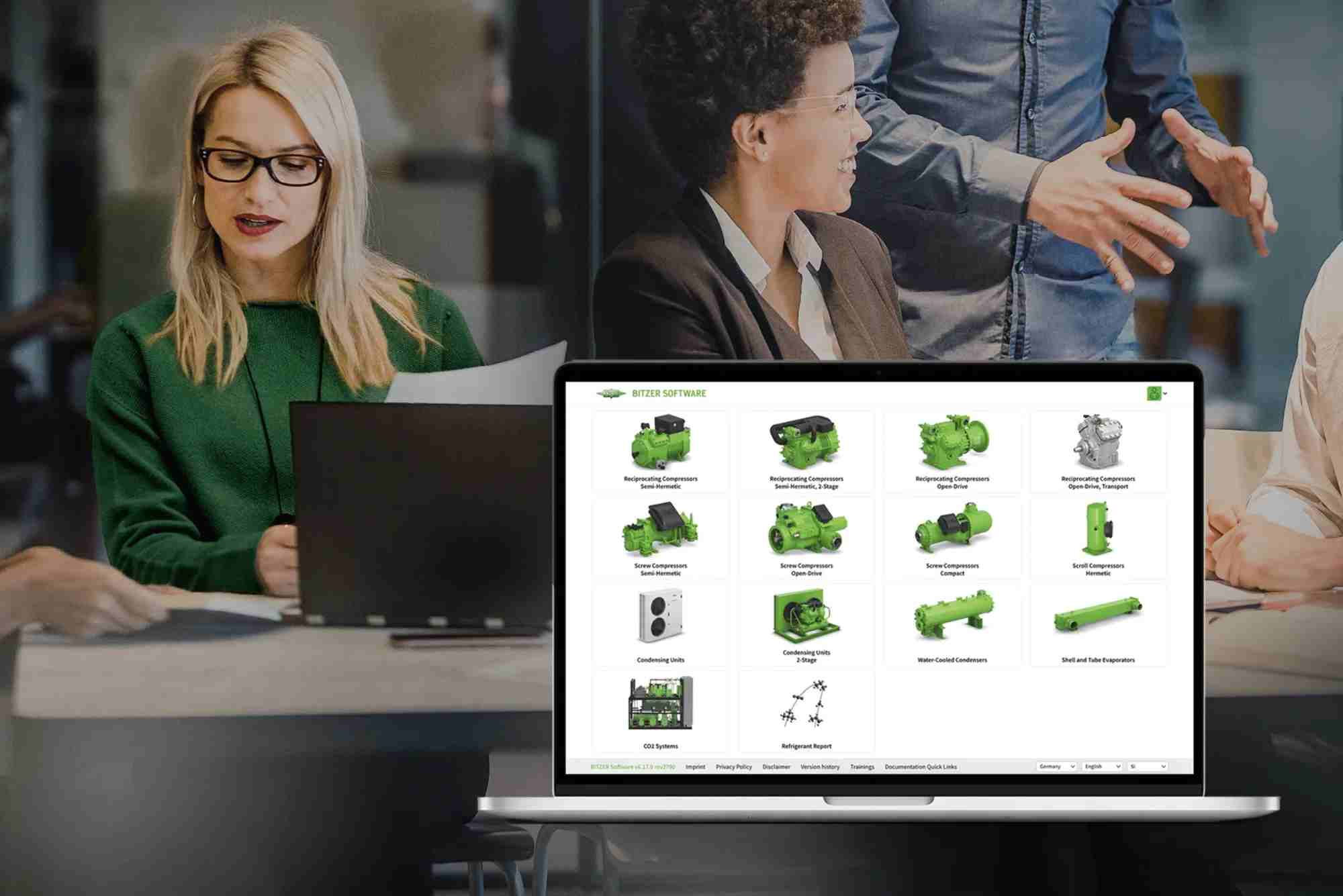
Bitzer Software Explained: Features for HVAC Professionals
When it comes to designing, optimizing, and maintaining HVAC systems, precision and reliability are non-negotiable. For professionals in the heating, ventilation, air conditioning, and refrigeration (HVACR) industry, Bitzer software has become a powerful digital ally. Known for its advanced tools and accurate compressor data, Bitzer’s suite of software helps engineers and technicians streamline their workflows while enhancing overall system efficiency.
In this article, we’ll break down what Bitzer software is, explore its features, and explain how it supports HVAC professionals in real-world applications. Whether you’re new to the field or a seasoned expert, understanding how to leverage this tool can give you a competitive edge.
What is Bitzer Software?
Bitzer software is a digital platform developed by Bitzer Kühlmaschinenbau GmbH, a globally recognized manufacturer of refrigeration and air conditioning technology. The software assists HVAC professionals in selecting compressors, analyzing performance data, and optimizing system design. It’s especially popular among consultants, technicians, and system designers who demand precision and reliability in their work.
The flagship tool in the Bitzer software suite is the BITZER Software (also known as Bitzer Selection Software), a downloadable program that offers detailed insights into Bitzer’s entire compressor product line. It’s not just a calculator—it’s a comprehensive design and diagnostics assistant.
Why HVAC Professionals Use Bitzer Software
Bitzer software helps HVACR professionals in ways that extend far beyond basic selection. It provides real-time calculations, performance maps, and operating limits, ensuring that the selected component matches the system’s requirements. More importantly, it minimizes costly errors by highlighting compatibility issues and operating anomalies early in the design process.
The software also includes access to performance simulations, refrigerant options, and graphical outputs—all essential for modern, energy-efficient system design. This makes it a go-to tool not just for engineers but also for maintenance teams and sales consultants who want to make informed recommendations.

Core Features of Bitzer Software
Compressor Selection Tool
One of the most widely used features of Bitzer software is its compressor selection module. It allows users to enter specific parameters like refrigerant type, cooling capacity, evaporating and condensing temperatures, and application type.
The tool then recommends compatible compressors, ranked by performance and efficiency. Each recommendation is backed by detailed performance data, including power consumption, mass flow, and discharge temperatures.
Refrigerant Library and Compatibility
With evolving regulations around refrigerants, it’s essential to have updated data on available options. Bitzer software includes a rich refrigerant library that helps users choose the right refrigerant for specific applications. It supports both traditional refrigerants like R134a and newer low-GWP options such as R1234yf.
Compatibility checks ensure that the selected compressor can operate safely and efficiently with the chosen refrigerant.
Operating Envelope Analysis
Bitzer software provides interactive performance maps showing the operating envelope of each compressor. This feature helps engineers assess whether their design conditions fall within safe operating limits.
These visual aids are essential for evaluating off-design conditions, partial loads, or startup scenarios—critical for ensuring long-term reliability and efficiency.
System Efficiency Insights
Unlike basic sizing tools, Bitzer software offers in-depth system performance predictions. It calculates COP (Coefficient of Performance) and EER (Energy Efficiency Ratio), enabling designers to optimize energy usage.
This is particularly valuable for green building projects, industrial cooling systems, and installations that must meet strict energy regulations.
Export and Documentation Features
Once the selection and analysis are complete, Bitzer software lets users export technical documentation in PDF format. This includes performance graphs, technical data sheets, wiring diagrams, and dimensional drawings.
This documentation simplifies communication with stakeholders—whether you’re working with a contractor, client, or inspector.
Integration with BITZER Digital Network (BDN)
For professionals who use the BITZER Digital Network, the software integrates seamlessly to offer even deeper system analytics. BDN provides cloud-based monitoring, predictive maintenance insights, and remote diagnostics for connected compressors.
When used together, the selection software and BDN create a powerful ecosystem that covers design, operation, and maintenance.
Real-World Applications of Bitzer Software
In practical HVACR scenarios, Bitzer software proves invaluable. For example, when designing a supermarket refrigeration system, engineers must ensure multiple compressors operate in tandem, with varying loads and refrigerants. Bitzer software simplifies this by calculating system-wide performance, enabling modular and scalable design.
Technicians also use the software during retrofits. When replacing an old compressor, they can input the existing conditions and receive suggestions for modern replacements that match or exceed performance standards.
Sales engineers often rely on Bitzer’s software to prepare data-backed proposals. Instead of offering general suggestions, they can present clients with detailed performance analyses that justify their recommendations.
Benefits of Using Bitzer Software
Using Bitzer software gives HVAC professionals a distinct advantage:
- Accuracy: Every recommendation is based on real compressor data and verified by the manufacturer.
- Speed: Instead of browsing through technical catalogs, users get instant results based on their criteria.
- Compliance: The software reflects the latest refrigerant regulations and supports sustainable choices.
- Versatility: Suitable for all phases—from design and commissioning to troubleshooting and maintenance.
- Professionalism: Generated documentation looks clean and reliable, perfect for project presentations.
Tips for Getting the Most from Bitzer Software
To fully benefit from Bitzer Software, it’s essential to approach it with a strategy:
- Always begin with accurate input parameters. Garbage in means garbage out.
- Use the refrigerant comparison feature to explore energy-saving alternatives.
- Regularly update the software to access the latest compressor models and refrigerant data.
- Save your selection files for future reference or to re-calculate if project conditions change.
- Combine it with on-site measurements for troubleshooting or maintenance tasks.
FAQs
What is Bitzer software used for?
Bitzer software is used by HVAC professionals to select compressors, analyze system performance, and ensure optimal operation based on real-world parameters. It supports system design, maintenance, and documentation.
Is Bitzer software free to download?
Yes, Bitzer software is available as a free download from the official Bitzer website. It requires installation on a Windows-based system and is updated regularly.
Can Bitzer software be used for CO₂ systems?
Absolutely. Bitzer software supports CO₂ (R744) and other natural refrigerants. It helps ensure proper component selection and provides performance data specific to CO₂ systems.
How often is Bitzer software updated?
Bitzer updates the software several times a year to include new compressor models, refrigerants, and performance data. Users are notified of available updates when they launch the software.
Does Bitzer software work on Mac?
Officially, Bitzer software is developed for Windows. However, Mac users can run it using virtualization tools like Parallels or Boot Camp.
Can I use Bitzer software for multi-compressor systems?
Yes. Bitzer software can simulate multi-compressor configurations, particularly useful in rack systems or parallel applications like supermarket refrigeration.
Bitzer software isn’t just another design tool—it’s a digital companion that empowers HVAC professionals with data, precision, and confidence. Whether you’re designing new systems, retrofitting old ones, or ensuring compliance with refrigerant regulations, this software delivers consistent value.