Tesla Software Update: What’s New and How It Works
Tesla is more than just an automaker—it’s a tech company on wheels. One of the biggest advantages of owning a Tesla is receiving regular software updates, much like your smartphone. These over-the-air (OTA) updates enhance everything from performance and safety to entertainment and autopilot capabilities. In this article, we’ll explore what the latest Tesla software update includes, how it works, and why it continues to set Tesla apart from traditional car manufacturers.
Understanding the Tesla Software Update
The Tesla software update is a key part of the company’s user experience strategy. Just like Apple or Android phones, Tesla vehicles receive frequent OTA updates. These updates often bring new features, bug fixes, improvements in battery efficiency, and more accurate autonomous driving features.
Unlike traditional vehicles that require a trip to the dealership for even the smallest firmware update, Tesla’s process is seamless and wireless. You can install updates from the comfort of your driveway.
How Tesla Software Updates Work
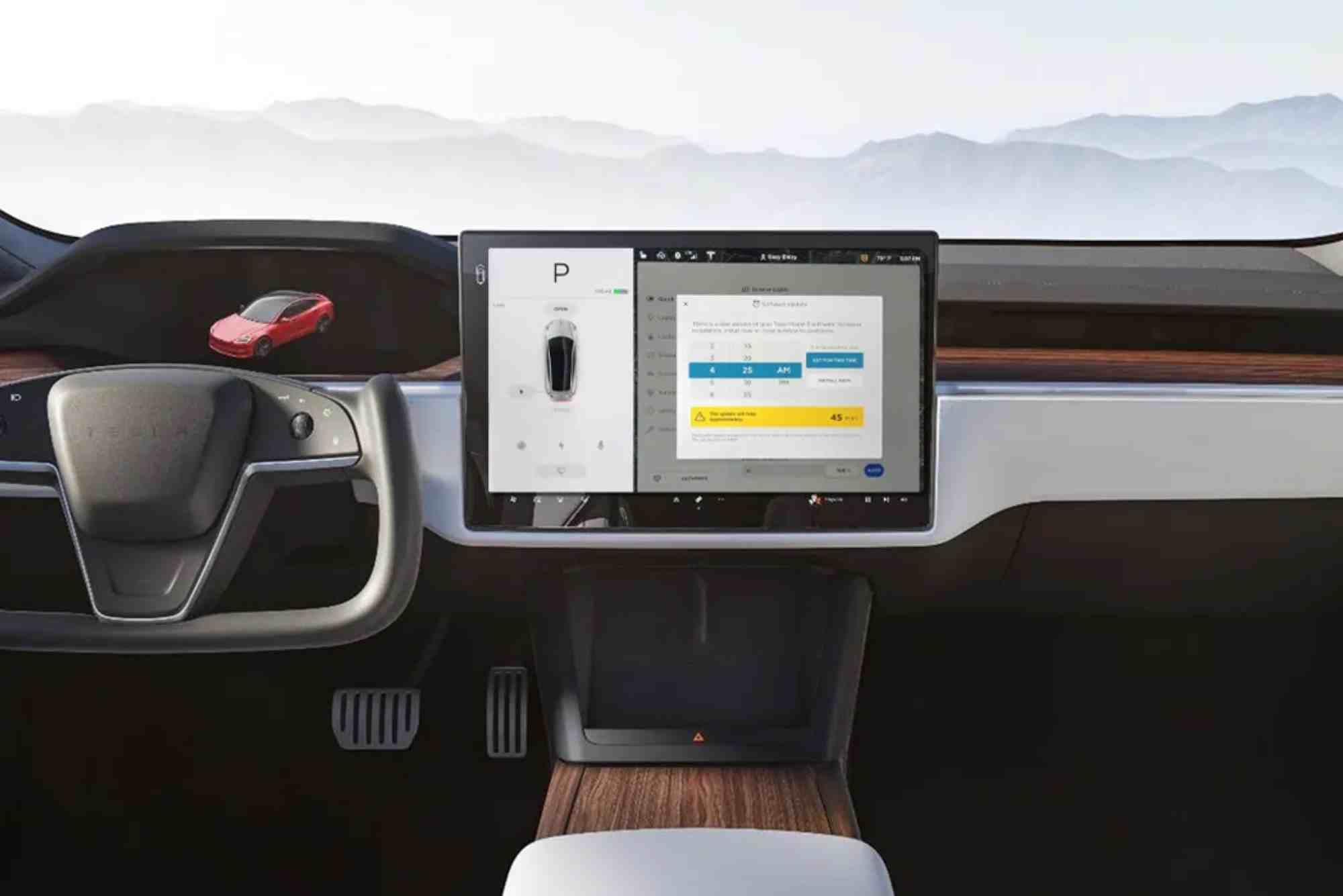
When a new update is released, Tesla owners receive a notification via the Tesla app or the car’s dashboard screen. The update package is downloaded over Wi-Fi and then installed during a scheduled time (often overnight).
Before installing, the vehicle verifies the package to ensure stability and safety. Depending on the update size, installation can take between 20 minutes to one hour. The vehicle must remain in Park mode with sufficient battery charge to complete the process.
After installation, users are shown a “Release Notes” screen that highlights new features or changes.

Wi-Fi Requirement
Tesla updates are typically delivered via Wi-Fi. Though small updates may use LTE, major revisions require a home Wi-Fi connection.
Schedule Flexibility
You can choose when to install the update. Tesla even allows you to delay it for later if you’re not ready.
Versioning System
Tesla uses a versioning format like “2025.28.6.” The first part indicates the year and week of release, while the decimal shows patch levels.
What’s New in the Latest Tesla Software Update (2025.28.6)
Tesla’s latest update continues to build on innovation. Here are the most talked-about features in version 2025.28.6:
Enhanced FSD Beta (Full Self-Driving)
With this update, Tesla’s FSD Beta becomes even more intelligent. It now handles unprotected left turns more smoothly and adapts better to lane changes in dense traffic. It also includes improved decision-making at roundabouts, intersections, and merging lanes.
Updated User Interface
Tesla refreshed its UI for all vehicles running the new update. Menus are now more intuitive, icons are sharper, and colors adjust automatically with lighting conditions for better visibility.
Tesla Vision Upgrades
Tesla Vision, the camera-based driver assistance system, now performs better in bad weather. Improved image processing helps your car see more accurately in rain, fog, and low-light conditions.
Adaptive Suspension Updates (Model S and X)
The update enhances the air suspension system’s intelligence. It now remembers preferred suspension settings by location. For instance, if you regularly raise the suspension at your steep driveway, the car will start doing it automatically.
Gaming and Entertainment Improvements
Tesla Arcade now supports wireless Bluetooth controllers, allowing for console-style gameplay. Additionally, new streaming platforms are available through Tesla Theater, including regional-specific apps depending on the vehicle’s location.
Energy App Improvements
Tesla has improved its energy monitoring tool. The updated Energy App shows more accurate predictions about battery consumption and solar charging (for Solar Roof owners).
Charging Enhancements
The software now helps optimize fast-charging by pre-conditioning the battery more precisely. It also displays nearby Superchargers with the lowest wait time.
Why Tesla Software Updates Matter
Tesla’s approach to software updates creates long-term value. Unlike many car brands where technology becomes outdated, Tesla vehicles often get better over time.
Adds New Value
Owners feel like they’ve bought a future-proof car. Features like Enhanced Autopilot and better energy efficiency are delivered at no extra cost.
Improves Safety
Tesla has used software to roll out safety improvements like Emergency Lane Departure Avoidance, Forward Collision Warnings, and Autopilot enhancements—all through updates.
Delivers Instant Gratification
Users receive updates soon after they’re announced—sometimes overnight. There’s no dealership delay or hidden cost.
Enhances Resale Value
Used Teslas running the latest updates are often more appealing in the resale market, especially with updated FSD or infotainment options.
How to Check for Tesla Software Updates
Checking for a new Tesla software update is easy. Go to your car’s touchscreen:
Tap Controls > Software.
If an update is available, it will appear with an “Install Now” or “Schedule” option.
You can also force-check by connecting to Wi-Fi and pressing “Software” again.
Common Issues and How to Fix Them
While the update process is generally smooth, some users encounter minor problems.
Download Fails or Pauses
Ensure a strong Wi-Fi connection. Public hotspots often interrupt the download, so use a home network.
Installation Delays
Sometimes the car won’t install immediately due to low battery or temperature. Plug the car in and try again.
Features Missing Post-Update
Occasionally, features are region-locked or model-specific. Check Tesla’s official Release Notes for your version.
FAQs
How often does Tesla release software updates?
Tesla typically releases updates every 4–6 weeks. Major updates come quarterly, while minor patches are rolled out as needed.
Can I manually update Tesla software?
No. You can’t manually download updates like on a PC. However, you can connect to Wi-Fi to trigger a faster rollout.
Does every Tesla get the same update?
Not always. Updates are tailored by model (Model 3, Y, S, X), hardware version, and country regulations.
Is Tesla software update free?
Yes. All software updates are free. However, premium features like FSD or Premium Connectivity may require payment.
Will my settings reset after an update?
No. Personal settings, navigation history, and profiles remain intact after an update.
Why hasn’t my Tesla received the update yet?
Tesla rolls out updates in phases. You might be in a later batch. Connecting to Wi-Fi increases the chances of early delivery.